Step-By-Step WFH Software startup guide

Configuration Order for WFC Base Product

01

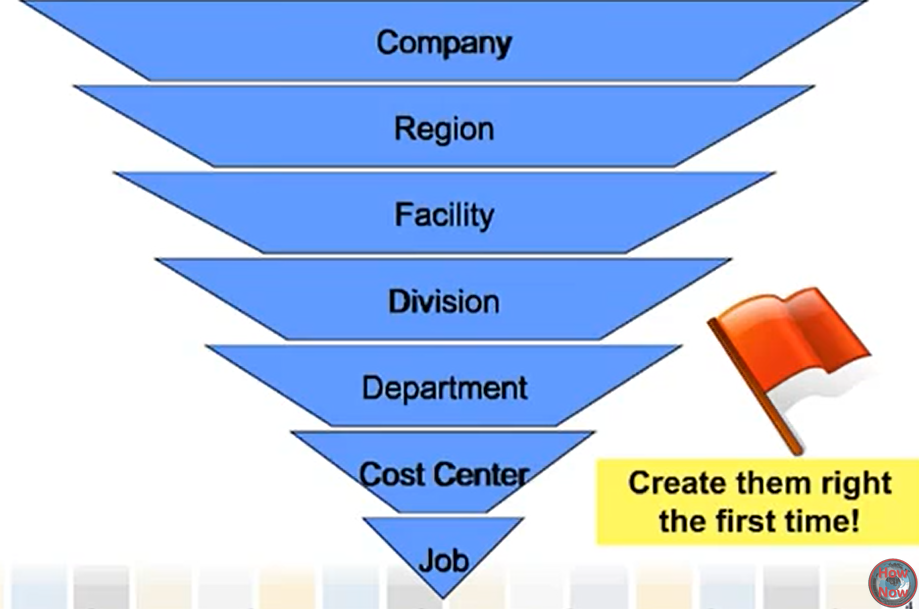
Labor Levels

Setup-->Organizational Setup-->Labor Levels > [add a labor level]
This is the first thing to configure in a system build.
Best practice is setting up all 7 ahead of time, because the system does not allow People records to have a blank in a Labor Level field. So what we do is set up all seven, with a default of 'not used' if necessary.
Logically, the broadest level would be up top, but this is not a physical requirement.

laborlevels

02

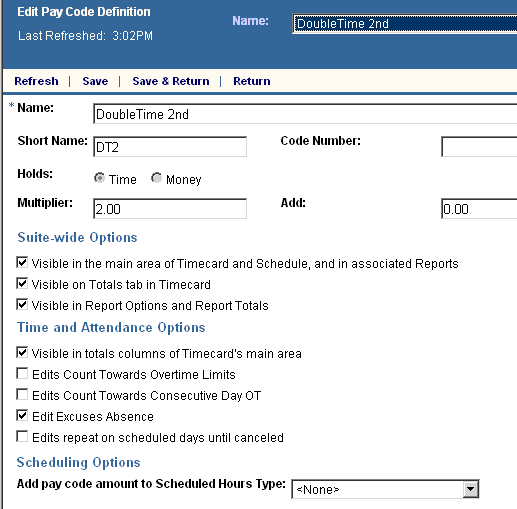
Setup → Pay Policies → Pay Codes → Definition
https://ultimatejoeknows.com/paycodes The first thing we build in a pay rule is our pay codes.
New Setup: First do Pay Code Definition, then Combined Pay Codes, then Display order Old setup: To create a new pay code, Right-click definition and choose new.
pay codes

03

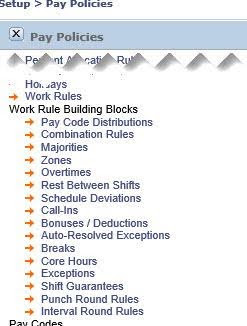
Work Rule Building Blocks

3e. Breaks
3f. Bonuses / Deductions
3g. Call-ins
3k. Core hours
3d. Exceptions
3l. Majorities
3i. Overtimes
3o. Pay Code Distributions
3b. Rounding rules
3h. Schedule deviations
3c. Shift guarantees
3j. Zones
3n. Combination rules
work rule building blocks kronos

04

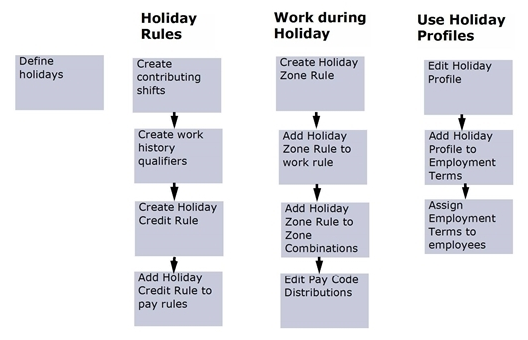
Holiday Credit Rule building blocks

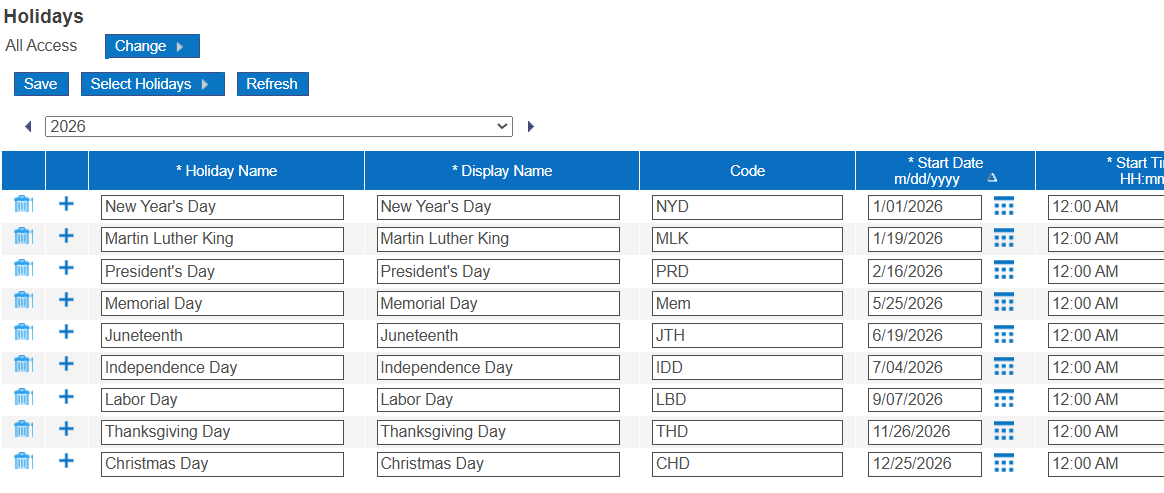
4a. Holiday table
4b. Holiday zones
4c. Holiday zone combinations
4d. Holiday contributing pay codes
4e. Holiday contributing shifts
4f. Holiday work history qualifiers
holiday building blocks

05

Holiday Credit Rules

Setup → Pay Policies → Holiday Credit Rules
There are three tabs: Eligibility, Credits, and Averaging.
holiday credit rules

06

Pay Rule building blocks

6a. Fixed rules
6b. Processing order
6c. Punch interpretation
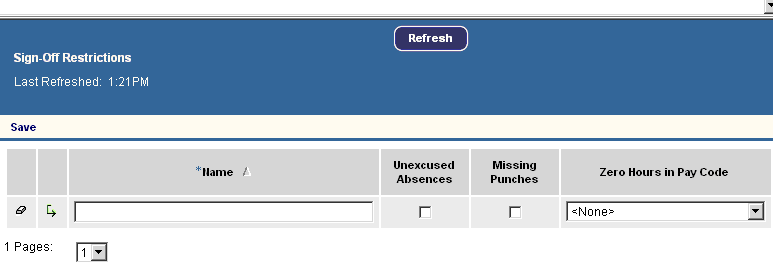
6d. Sign-off restrictions
sign off restrictions pay rule building block ukg
Scroll to Top